What is the autobudget
The autobudget is a tool within the Budget area of Microsoft Money which scans your bills, deposits and
spending, to calculate potential entries for your budget.
It will look at your spending trends to generate these
values. The more information you have in the file, the better it will be. However, if you don't have enough data in your
Money file the numbers it calculates will be inaccurate. What Money is calculating is
potential items to be added
to the budget, not budget entries themselves.
Once you have run the autobudget wizard, you will still need to
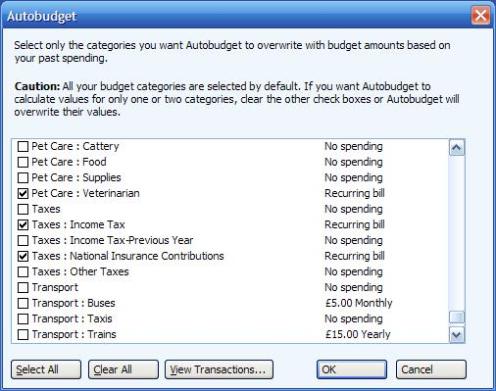
add the results to your budget if you like what it has produced. Note that to the left of each entry there is a checkbox -
you can choose to accept or ignore MS Money's estimates. In addition, recurring bills are automatically seen in this tool.
My use of this is to get Autobudget to estimate values, and then I clear all of the checkboxes and select those
that I wish to add (which is only a few).
If you use archive in Money a lot, then the history available for the budget to calculate the autobudget data is reduced, and that can have a huge impact on the results. See also
Article 66 on the archive function in Money.
Keywords: Autobudget, Budget, Archive, History, Spending