Removing Unwanted reports in Money 2005 and later
In versions of Money before the 2005 version, it is relatively simple to remove favorite reports. However,
in 2005, it's slightly less obvious.
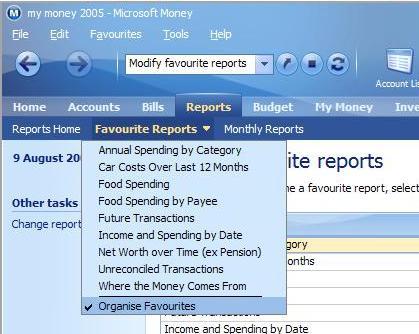
To remove or delete an old favorite report in 2005, go to the reports
page, and then click on the 'Favorite reports' drop down just above the reports page header. At the bottom of this menu
is an option to 'organize favorites'. Click this.
You'll see a list of all of your reports, and by selecting
one, you can then press the delete button and remove it.