Using an MBF (Microsoft Money Backup File)
There are two main file types used in Microsoft Money - the MNY (Microsoft Money) file, which is your data,
and the MBF (Microsoft Money Backup File) file, which is a backup of your money file. (A complete list of extensions can
be found in
Article 196.)
When you backup your Microsoft Money file
(
Article 199),
the program creates a new MBF file, which could be a compressed file (if you select the backup option
to do this) or a file spanning multiple floppy disks (if you're saving it to this type of media).
If you want to subsequently use this backup, you need to know how to do this.
The first thing
to note is that when converting from this MBF file back to a MNY file,
you cannot just rename this backup
file extension and hope things will work.
What you should do is use Microsoft Money to restore
the backup file. This is available through the File->Restore Backup menu.
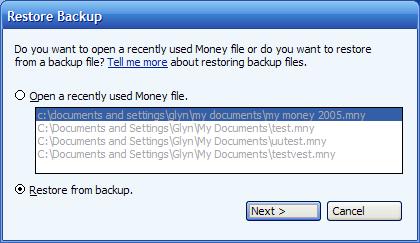
You will be able to select either a recently used backup file (in some versions) and/or the backup file.
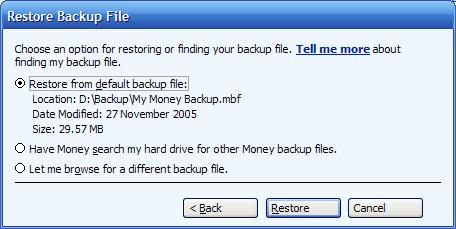
You can then restore it to a new MNY file which you can subsequently use in Microsoft Money.
Always remember to keep lots of backup files. In
Money 2006 new backup options
(see
Article 212) were added. In earlier
versions, backups overwrote each other (see
this page regarding the mechanism I
used to keep multiple backup files). In addition
test your backups occasionally.
Keywords: compression, MNY, MBF, backup