BASE currency in Microsoft Money
The BASE currency in Microsoft Money (seen in the picture below) is the main or default currency used in the
program. When setting up new accounts, it is the one which is selected by default. When viewing reports which use more than
one currency, amounts are usually converted to report in that currency. If viewing the account list, the total at the bottom
of all accounts is also in the base currency.
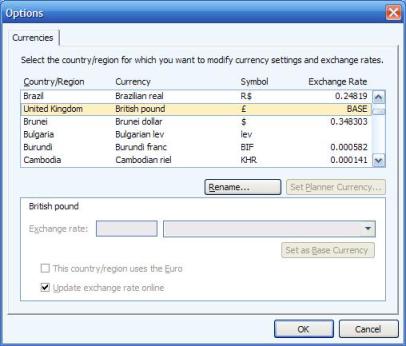
You can choose or change the base currency by going to Tools->Settings->Program Settings->Update Currencies,
and selecting the new currency. Press the 'Set as Base currency' button. Pressing it will not change the currency of any
of your accounts though - if you need to change them, do that in the individual account details themselves.
The base currency additionally defines which accounts can be used with Microsoft Money for the Pocket PC
(
Article 86/
Article 222).
In addition, there is a currency called the PLANNING BASE. See
Article 338 for more details.
This is usually the base currency, but doesn't have to be.