Important Dates module on the Microsoft Money homepage
One of the options for customizing the MS Money home page (
Article 309) is a module named 'Important Dates'. This is a feature of the program which allows you to receive reminders, when the date falls.
For example, you could use it to remind you to file your taxes, pay an insurance bill or to tell you that you need to service your car.
To put details into this part of the program, you should select Tools->Alerts and then click on the 'customise expert assistant' or 'customize Advisor FYI' in the 'Expert Assistant' or 'Advisor FYI' box. Next click on the 'Important Dates' tab. You will see a display similar to that below:
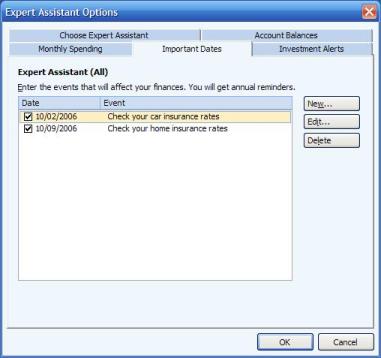
You can view existing entries, or create new ones. These entries will automatically recur annually.
They will display ONLY in the home page module, so you should customize the home page (
Article 309) to show this somewhere obvious, such as in the top left of the page.