Balancing Cash Accounts
In
Article 399
the process of balancing a standard bank account is described. In the case of cash accounts, they don't have
a bank statement, so are not treated in the same way.
To balance a cash account, you can decide
whether you really want to just update the balance of the account against what is, say, in your pocket, or
go through a detailed balancing process as in
Article 399.
To update the account, click on the 'update ending balance' option on the left hand side for the
account.
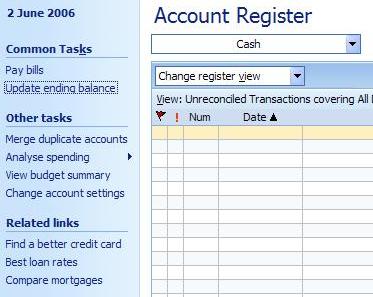
Clicking on this option brings up a simple window which allows you to adjust the account balance.
In it, you can put in the new balance, the date of that balance (it defaults to today), and the adjustment
category. The adjustment category is used to put in am adjustment transaction into the account to make the
balance correct.
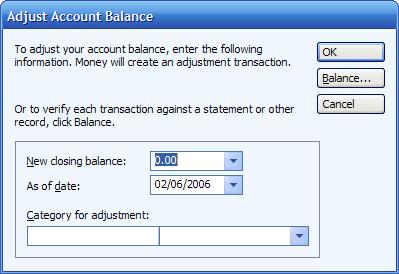
If you want to actually reconcile the account, then instead of filling in any details on this page,
you can click on the 'Balance' option. This will bring up the full balancing process as in
Article 399.