Problems saving backups on large USB drives
Microsoft Money 2007 and earlier has a problem with external backup devices (USB memory sticks) which
have more than 2GB free storage space on them. The problem manifests itself when you try to save your file onto a
large (for example, a 4GB drive), and the program complains that there is not enough disk space to store the file.
It subsequently prompts you for a second disk.
To illustrate this problem, some screenshots of the
problem are shown below
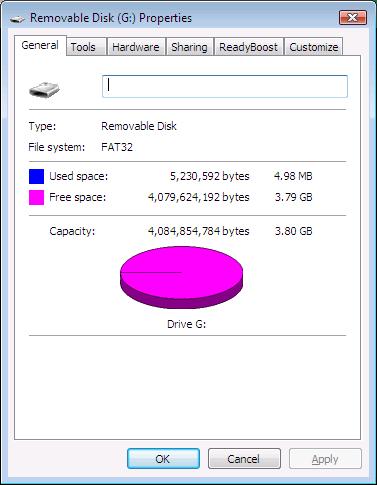
The first image above shows the USB drive with 3.79GB of free storage. This is more than enough
for your Microsoft Money backup.
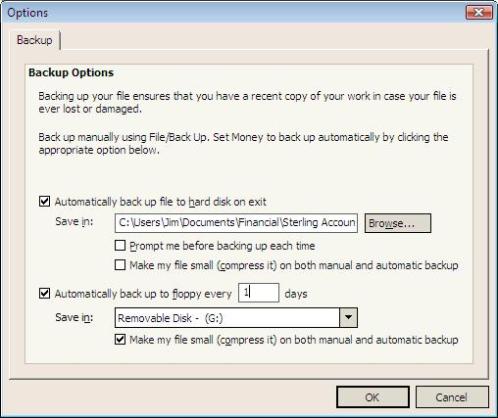
In the backup options, the G: USB drive is selected so that it will
be used by the Microsoft Money backup.
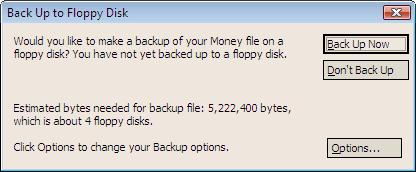
When I run
the backup, I see the option to backup to floppy disk (which in this case is the USB drive). Pressing 'Back
Up Now' shows the next image.
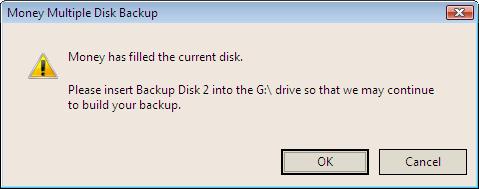 Money has filled the current disk. Please insert Backup Disk 2 into the G:\ drive so that
we may continue to build your backup.
Money has filled the current disk. Please insert Backup Disk 2 into the G:\ drive so that
we may continue to build your backup.This message, is of course, incorrect as we had
gigabytes of storage space earlier.
If you press Ok to carry on (without changing the drive),
then you see the error below:
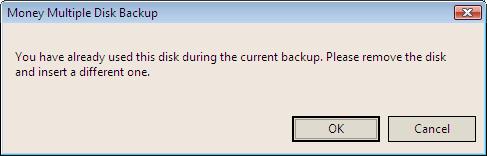 You have already used this disk during the current backup. Please remove the disk and
insert a new one.
You have already used this disk during the current backup. Please remove the disk and
insert a new one.The whole process shown above is a problem in the Microsoft Money
backup routines. The error can be avoided if there is
less than 2GB of free storage space, even
if the USB device is larger than this. However, that is the only known fix. One suggestion reported to
me was that if you're using Vista, then you could use half the disk as a ReadyBoost drive so as to reduce
the disk space available.
Note: This problem is fixed in Money Plus
(Article 509).
Keywords: ReadyBoost, Floppy Disk, Storage, Backup, Removable, USB Drive