Enabling and using VAT or GST
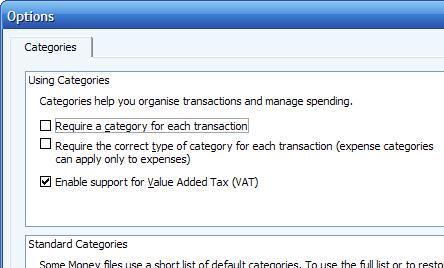
Most versions of UK Microsoft Money will support VAT in a simple way. To enable VAT or GST
in Money, you need to do it in three locations.
- For the program itself. This is in tools->options
or tools->settings, and then the categories option
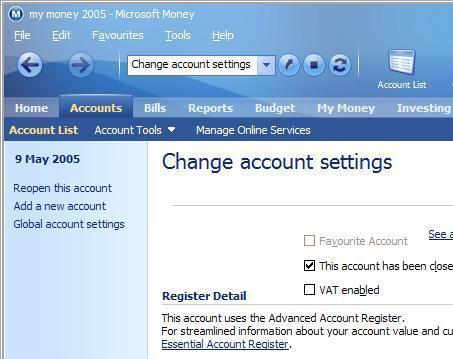
- For the account(s) that you want to track the VAT or GST on (look at the account settings)
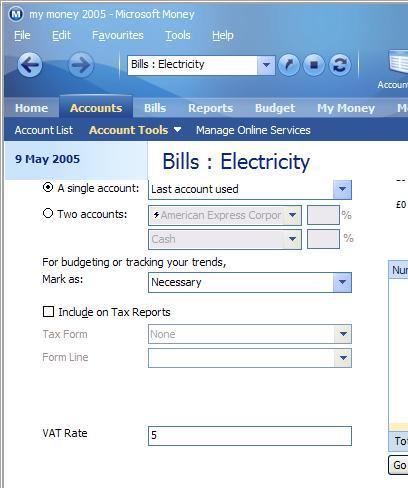
- Finally, you need to enter VAT or GST rates for the categories you wish to track it on
(in the Categories section).
If you're running an international version, be warned - I've tried this on an international 2004
version (with both New Zealand and Australian settings), and the option to enable VAT or GST it is
not available. However, I also ran the 2005 international version that I had and did find the options,
so it looks like they could be in the later version.